





Headphone specifications can look complicated when you are comparing driver sizes, frequency response, impedance, sensitivity, Bluetooth codecs, and other numbers.
You do not need to understand every technical term to choose the right headphones. The key is knowing which specifications affect sound, power requirements, connectivity, noise isolation, and comfort.
Here are 10 important headphone specifications and design factors worth checking before you buy.
1. Frequency Response
Frequency response describes the range of frequencies a headphone is designed to reproduce, measured in Hertz (Hz).
A commonly listed range is 20Hz to 20kHz, roughly corresponding to the commonly cited range of human hearing. However, this number alone does not tell you whether headphones sound good.
The tuning across that range matters more. Bass affects low frequencies, mids carry much of the vocals and instruments, and treble provides higher-frequency detail.
2. Impedance
Impedance is measured in Ohms (Ω) and indicates how much electrical resistance the headphones present to the audio source.
Lower-impedance headphones are generally easier to drive from phones, laptops, and other portable devices. Higher-impedance headphones may require more voltage from the source and can benefit from a suitable amplifier.
Impedance should therefore be considered alongside the device you plan to use.
3. Sensitivity
Sensitivity indicates how much sound output a headphone can produce from a specified amount of electrical input.
Higher sensitivity generally means the headphones can reach a given loudness with less power, but sensitivity figures are only directly comparable when manufacturers use the same measurement method.
For portable listening, sensitivity and impedance are useful specifications to consider together.
4. Driver Size
The driver is the component that converts electrical signals into sound.
Headphones may use drivers of different sizes, but a larger driver does not automatically produce better audio. Driver material, acoustic design, tuning, and enclosure construction all influence performance.
Driver size is best treated as one part of the overall headphone design rather than a standalone measure of sound quality.
5. Driver Type
Different driver technologies use different methods to produce sound.
Common types include:
- Dynamic: Widely used and capable of producing a broad range of sound
- Planar magnetic: Uses a flat diaphragm and magnetic structure for sound reproduction
- Balanced armature: Compact drivers commonly used in some in-ear designs
Each technology can perform well when properly engineered and tuned.
6. Total Harmonic Distortion
Total Harmonic Distortion (THD) indicates unwanted harmonic components introduced during sound reproduction.
Lower THD generally means less measured distortion, although the number should not be considered independently from other specifications.
Also check how the manufacturer measured THD because testing conditions and measurement methods can differ between products.
7. Bluetooth Codec
For wireless headphones, the Bluetooth codec determines how audio data is encoded and transmitted between the source device and headphones.
Common codecs include SBC, AAC, aptX variants, and LDAC.
Codec support matters only when both the source device and headphones support the relevant codec. A more advanced codec does not automatically guarantee better sound because the complete wireless implementation and audio source also matter.
8. Active Noise Cancellation
Active Noise Cancellation (ANC) uses microphones and electronic processing to reduce certain external sounds.
It can be useful for commuting, flights, offices, and other environments with continuous background noise.
ANC should not be confused with passive isolation, which comes from the physical fit and construction of the headphones.
9. Frequency Range and Sound Tuning
Although frequency response is already a specification, the actual sound tuning deserves separate attention when comparing headphones.
Two models can advertise the same frequency range while sounding completely different. One may emphasize bass, another may prioritize vocals, while a third may aim for a more neutral presentation.
Look for descriptions of the sound signature and, where available, reliable frequency-response measurements rather than judging quality from the stated range alone.
10. Form Factor, Weight and Comfort
Technical specifications do not tell the whole story. The physical design determines how suitable headphones are for extended use.
Common form factors include:
- In-ear: Compact and portable
- On-ear: Sits directly on the ears
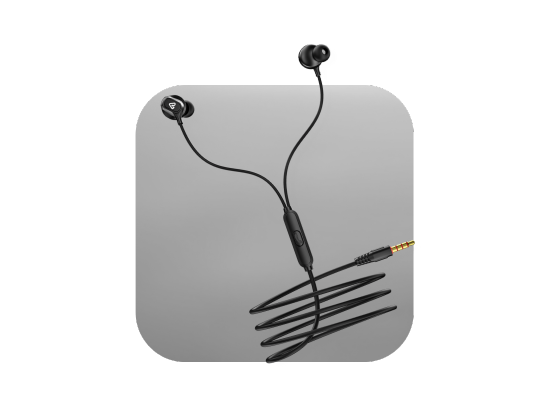
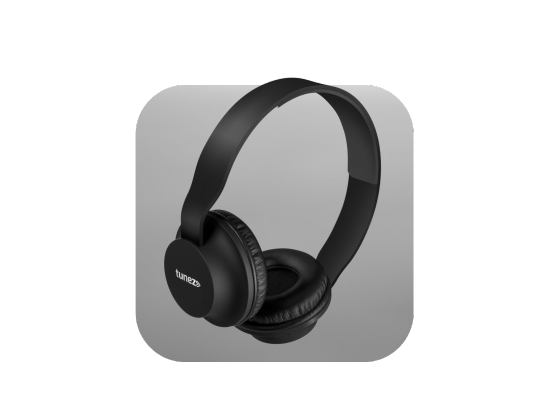
- Over-ear: Surrounds the ears and can provide greater physical isolation
Weight, headband pressure, ear-cup padding, adjustability, and ear-tip fit can significantly affect comfort during long listening sessions.
How To Read Headphone Specs Together
Avoid choosing headphones based on one impressive number. Specifications work together.
For example:
For smartphones: Consider impedance, sensitivity, Bluetooth compatibility, battery life, and comfort.
For travel: ANC, passive isolation, battery life, and comfortable fit become more important.
For gaming: Latency, microphone quality, connectivity, comfort, and positional audio support may matter more than driver size.
For music: Sound tuning, driver design, frequency response, and the quality of the audio source deserve closer attention.
For desktop or studio use: Impedance, source compatibility, tuning, connection type, and intended monitoring use should be evaluated together.
Do Headphone Specs Tell You Everything?
No. Specifications are useful for understanding compatibility and comparing certain technical characteristics, but they do not fully describe the listening experience.
Build quality, acoustic tuning, fit, software, source quality, and personal preference can all affect how headphones perform.
A useful buying approach is to identify your primary use case first and then use the specifications to narrow down suitable options.
Conclusion
The most useful headphone specifications include frequency response, impedance, sensitivity, driver size, driver type, THD, Bluetooth codecs, ANC, sound tuning, and physical design.
Instead of looking for the highest number on the box, compare specifications based on how you actually plan to use the headphones. This makes it easier to find a model that offers the right combination of sound, compatibility, comfort, and features.