




Transferring large files, backing up photos, or connecting external storage can take longer than expected when you use a cable with limited data-transfer capabilities. High-Speed Data Cables are designed to support faster data transmission between compatible devices, helping you move files and connect peripherals more efficiently.
However, not every USB or USB-C cable offers the same data speed. The connector, USB standard, cable specifications, and connected devices all affect actual performance.
In this guide, we explain what a High-Speed Data Cable is, how it works, what features to check, and how to choose the right cable for your devices.
What Is a High-Speed Data Cable?
A High-Speed Data Cable is a cable designed to transfer digital information between compatible devices at higher speeds than basic data cables.
It can be used for tasks such as:
- Transferring photos and videos
- Moving large documents and files
- Connecting external storage devices
- Syncing smartphones with computers
- Connecting compatible peripherals
- Transferring data between supported devices
The actual speed depends on the cable’s supported standard and the capabilities of both connected devices. Using a high-speed cable with a device or port that supports a lower standard will not automatically increase the transfer speed.
How Do High-Speed Data Cables Work?
A data cable carries digital information between two compatible devices through its conductors and connectors. The cable must support the required communication standard, while both connected devices and their ports must also support that standard.
For example, a USB-C connector describes the physical connector, but it does not by itself indicate the maximum data-transfer speed. Two USB-C cables can support different data speeds and capabilities.
This is why checking the cable’s specifications is more important than choosing one based only on its connector type.
What Makes Data Cables High-Speed?
Several factors determine whether a cable can support high-speed data transfer.
Data Transfer Standard
USB standards define the communication capabilities and potential data-transfer rates of compatible connections. Depending on the standard, supported speeds can range from basic USB rates to much higher transfer rates.
Always check the specific USB standard listed for the cable rather than assuming every USB 3 or USB-C cable has the same performance.
Cable Construction
The internal conductors, insulation, shielding, and overall construction can affect signal quality and reliability.
A properly designed cable can help maintain a stable connection when transferring data at higher speeds.
Connector Compatibility
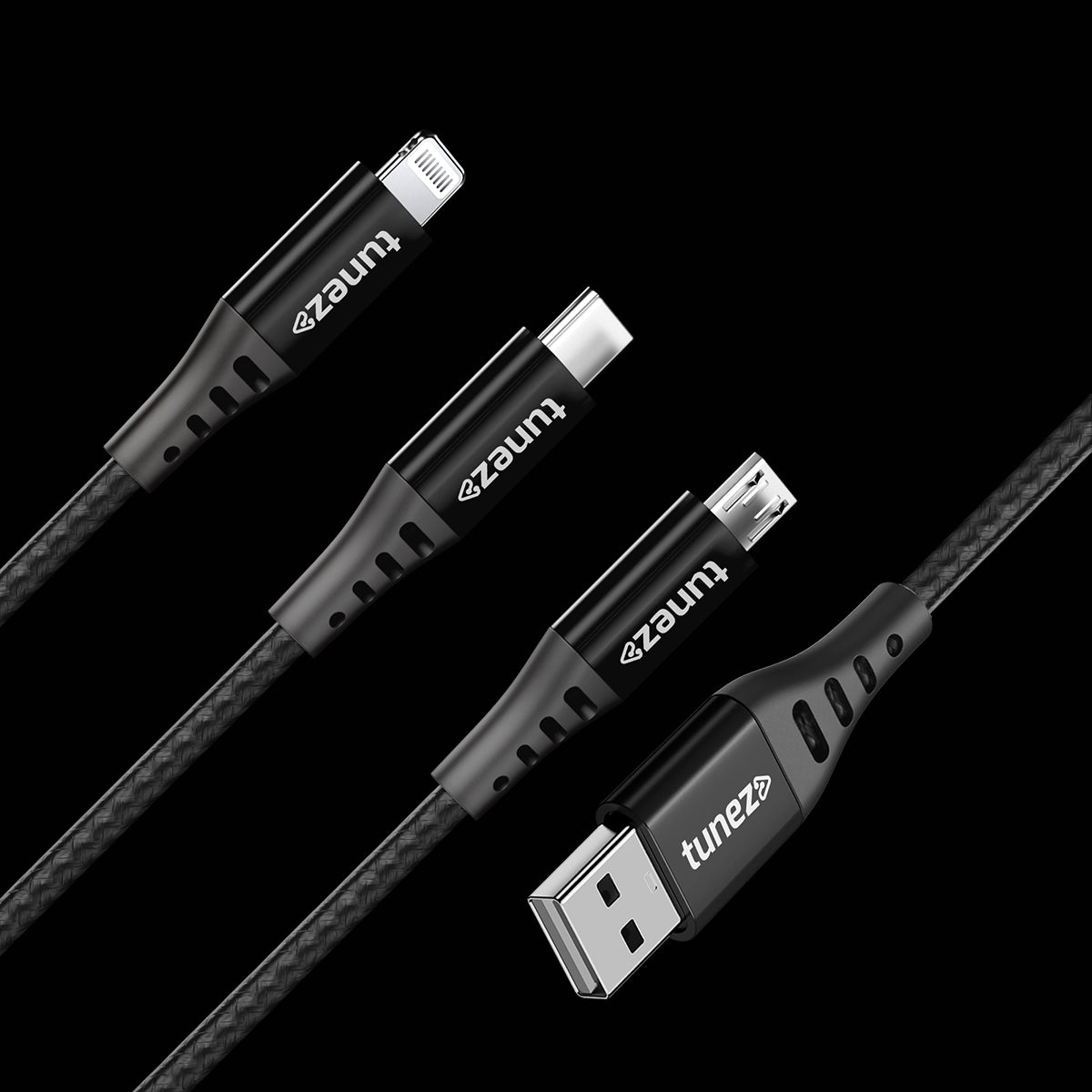
A cable needs compatible connectors for the devices you want to connect. USB-C, USB-A, Micro-USB, and other connectors serve different device and connection requirements.
Remember that connector type and data speed are not the same thing.
Device and Port Support
The cable is only one part of the connection. Your smartphone, computer, external drive, or other device must also support the required data-transfer standard.
If one component has a lower specification, the connection will generally operate according to the lower supported capability.
Why Do You Need High-Speed Data Cables?
A suitable high-speed cable can make everyday file transfers and device connections more convenient.
Faster File Transfers
Large videos, high-resolution photos, software files, and backups can take considerable time to transfer. A compatible high-speed connection can reduce waiting time compared with slower data standards.
Better External Storage Performance
External SSDs and other high-performance storage devices can benefit from faster data connections when the drive, computer port, and cable all support the required standard.
Convenient Device Synchronisation
A reliable data cable makes it easier to transfer and synchronise files between smartphones, tablets, computers, and other compatible devices.
More Efficient Everyday Work
If you regularly move large files between devices, choosing the right cable can improve your workflow and reduce unnecessary transfer delays.
High-Speed Data Cable vs Standard Data Cable
The main difference is the supported data-transfer capability.
A basic cable may be sufficient for simple syncing or transferring small files. A high-speed cable becomes more useful when you regularly work with larger files or high-performance external devices.
| Feature | Standard Data Cable | High-Speed Data Cable |
| Small file transfers | Suitable | Suitable |
| Large file transfers | May take longer | Better suited |
| External storage | Depends on standard | Better for compatible high-speed storage |
| Data-intensive use | Limited by specification | Designed for higher transfer speeds |
| Best for | Basic everyday use | Frequent and larger data transfers |
The term “high-speed” should always be considered alongside the cable’s actual specifications.
How to Choose the Right High-Speed Data Cable
Before buying a High-Speed Data Cable, check these factors:
1. Check the Data Speed
Look for the cable’s stated data-transfer specification instead of relying only on terms such as “fast” or “high-speed.”
2. Check the Connectors
Make sure the cable has the correct connectors for both devices. For example, a USB-C-to-USB-C cable may be suitable for two compatible USB-C devices, while a USB-A-to-USB-C cable may be required for older computers.
3. Match Your Devices
Check the USB or other supported standard of your smartphone, computer, storage device, or peripheral. A cable cannot provide a higher transfer speed than the connected hardware supports.
4. Consider Cable Length
Longer cables can be convenient, but the cable should still meet the required specifications for your intended use.
5. Choose Reliable Build Quality
If you frequently connect and disconnect your cable, look for durable construction, secure connectors, and quality materials designed for regular use.
Can a USB-C Cable Be a High-Speed Data Cable?
Yes, but USB-C does not automatically mean high-speed data transfer.
USB-C refers to the connector design. USB-C cables can support different data-transfer capabilities depending on their specifications.
Before purchasing a USB-C data cable, check its supported data standard and maximum transfer rate to make sure it meets your requirements.
Are High-Speed Data Cables Also Used for Charging?
Some data cables can support both data transfer and charging, but their charging and data capabilities can differ.
For example, one cable may support high-speed data transfer but have different power-delivery capabilities from another cable. If you need both fast charging and fast data transfer, check the specifications for both functions before buying.
Why Choose Tunez Data Cables?
Tunez offers data cables designed for everyday device connectivity, data transfer, and charging requirements across compatible devices.
When selecting a Tunez cable, check the individual product specifications for its connector type, supported data-transfer speed, charging capability, and compatibility.
Final Thoughts
The right High-Speed Data Cable can make transferring files and connecting compatible devices faster and more convenient. However, the cable’s connector alone does not determine its performance.
Before buying, check the data-transfer standard, maximum speed, connector type, device compatibility, cable length, and build quality. Most importantly, remember that your actual transfer speed depends on the cable and the devices at both ends of the connection.
Choosing a cable based on these specifications helps you get the performance your devices are capable of delivering without paying for features you do not need.