
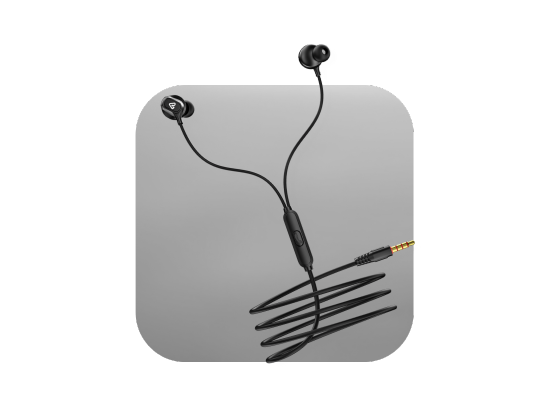
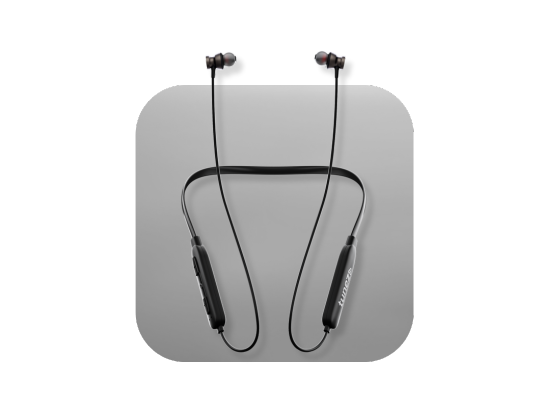
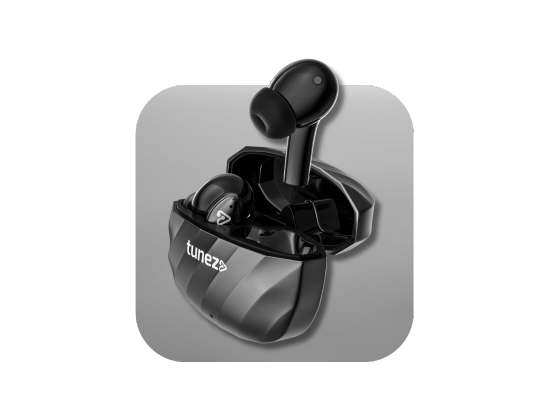
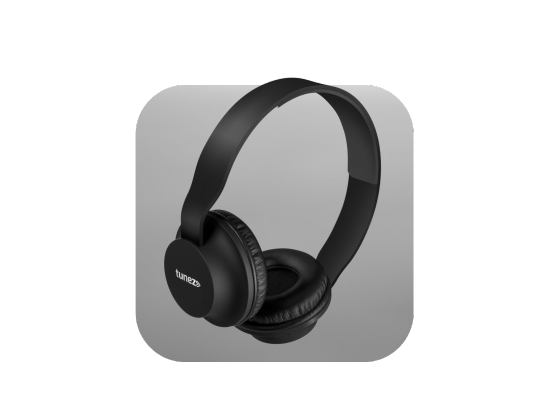



Wireless earbuds make everyday listening convenient, but frequent charging can become frustrating when the battery starts draining faster than it used to. The way you charge, store and use your earbuds can have a noticeable effect on battery performance over time. Simple habits such as avoiding complete discharge, keeping charging contacts clean and reducing unnecessary power usage can help you extend the battery life of earbuds and keep them reliable for longer.
How Long Do Wireless Earbuds Last?
Most wireless earbuds can remain usable for around two to four years, depending on usage, charging habits and battery quality. The lithium battery inside the earbuds gradually loses its capacity as it goes through repeated charging cycles.
A decline in battery performance is usually easy to notice. You may get fewer hours of playback than before, one earbud may drain faster than the other, or you may find yourself charging the earbuds several times a day.
Battery ageing is normal, but good charging and usage habits can help slow down unnecessary wear.
Why Do Earbud Batteries Drain So Quickly?
Several everyday habits can contribute to faster battery drain.
High volume levels require more power during continuous playback. Features such as active noise cancellation can also increase power consumption. Keeping multiple connections active or using advanced audio features for long periods may further reduce playback time.
Charging habits matter too. Regularly allowing the battery to reach zero percent, exposing the earbuds to excessive heat and allowing dirty charging contacts to interfere with charging can affect overall performance.
Understanding these causes makes it easier to improve earbud battery life without changing how you use them completely.
7 Ways to Extend the Battery Life of Earbuds
1. Avoid Letting Your Earbuds Reach Zero Percent
One of the easiest ways to protect a lithium battery is to avoid completely draining it on a regular basis.
Try to recharge your earbuds before they reach zero percent whenever practical. Keeping the charge around the twenty percent to eighty percent range can reduce the stress associated with repeated deep discharge.
You do not need to follow this range perfectly every day. The important point is to avoid making complete discharge a regular habit.
2. Put Your Earbuds Back in the Charging Case
The charging case is not only useful when your earbuds need power. It also provides a safe place to store them between listening sessions.
After using your earbuds, place them back inside the case. Leaving them outside can allow them to remain connected to your phone or gradually lose charge.
Keeping them in the case also reduces the chances of losing an earbud or exposing it to dust, moisture and accidental damage.
3. Turn Off Features You Do Not Need
Power-hungry features can reduce playback time during everyday use.
If your earbuds support active noise cancellation, ambient sound, spatial audio or advanced high resolution audio modes, consider switching them off when you are in a quiet environment.
For example, there may be little benefit in using noise cancellation while sitting in a quiet room. Turning it off can help you get more listening time from a single charge.
4. Keep the Volume at a Reasonable Level
Listening at maximum volume for long periods can increase power consumption.
For everyday listening, a moderate volume level is generally enough for music, podcasts and calls. Reducing the volume slightly can help extend playback time, particularly during long listening sessions.
It also makes sense from a listening comfort perspective. You do not always need maximum volume to enjoy clear audio.
5. Clean the Charging Contacts Regularly
If one earbud keeps showing a lower battery percentage than the other, do not immediately assume that the battery has failed.
Dust, earwax and dirt can accumulate around the charging contacts. This can prevent the earbud from making proper contact with the pins inside the case, resulting in inconsistent charging.
Use a dry cotton swab to gently clean the contacts on both the earbuds and the charging case. Avoid water, cleaning liquids and sharp objects.
Clean contacts help ensure that each earbud charges properly when placed inside the case.
6. Protect Your Earbuds From Extreme Temperatures
Temperature can have a significant effect on lithium battery performance.
Avoid leaving your earbuds or charging case inside a hot car, under direct sunlight or close to a heater. Excessive heat can permanently affect battery capacity.
Very cold temperatures can also temporarily reduce battery performance. If the earbuds have been exposed to very cold conditions, allow them to return to normal room temperature before charging.
A cool and dry storage location is generally better for long term battery health.
7. Charge the Case Properly
Do not focus only on the batteries inside the earbuds. The charging case also plays an important role in keeping your earbuds ready for use.
Use a reliable charging cable and suitable charger. Avoid regularly leaving the case connected to power for unnecessarily long periods.
At the same time, do not allow the case to remain completely empty for extended periods. Keeping enough charge in the case ensures that your earbuds can be stored and recharged whenever you need them.
Should You Use One Earbud at a Time?
Yes, single earbud use can be useful when you need extended listening time.
For long phone calls, online meetings or podcasts, you can use one earbud while keeping the other inside the charging case. Once the first earbud becomes low, switch sides.
This approach gives one earbud time to recharge while the other remains in use. It can be particularly useful when you are away from a power source for several hours.
How Can You Tell If Your Earbud Battery Is Getting Old?
Battery ageing becomes more noticeable after prolonged use.
Some common signs include:
• Playback time is much shorter than when the earbuds were new
• One earbud consistently drains much faster than the other
• Battery percentage drops unusually quickly
• The earbuds need charging several times during the day
• Cleaning the charging contacts does not solve charging problems
If the earbuds provide only a very short playback period despite being fully charged, the battery may have reached the end of its useful life.
When Should You Replace Your Earbuds?
Battery replacement is not always practical with compact true wireless earbuds because their batteries are small and integrated into the product.
If your earbuds provide less than one or two hours of normal playback, drain rapidly after charging or show persistent charging problems, replacement may be more sensible than continuing to repair them.
Before replacing them, however, check the charging contacts, charging cable and case. A charging problem can sometimes look like a failing battery.
What Should You Look for in Long Battery Life Earbuds?
If battery life is an important buying factor, do not look only at the advertised total playback number.
Consider the battery performance of the earbuds themselves, the additional playback provided by the charging case and how long the earbuds can operate with features such as noise cancellation enabled.
Efficient Bluetooth hardware, sensible power management and a reliable charging case can make a significant difference to everyday usage.
It is also worth checking whether the manufacturer provides firmware updates that can improve connection stability and power management.
Conclusion
Learning how to extend the battery life of earbuds does not require complicated changes to your daily routine. Avoid regular complete discharge, keep the charging contacts clean, store the earbuds in their case and switch off features you do not need.
Protecting the earbuds from excessive heat and using sensible charging habits can also help maintain battery performance over time.
Most importantly, remember that lithium batteries naturally lose capacity as they age. Good habits cannot stop battery ageing completely, but they can help you get more reliable use from your earbuds before replacement becomes necessary.

