









A power bank is useful only when you know how much backup power is available. Whether you are preparing for travel, heading to work, or keeping your phone powered during an emergency, checking the charging status before unplugging can save you from an unpleasant surprise later.
The easiest way to check is through the power bank’s built-in LED indicators or digital display. Most models use a series of lights to show the approximate battery level, while newer models may display the remaining percentage directly. However, the exact indicator pattern can vary between models, so the product manual should always be your final reference.
How to Know If a Power Bank Is Fully Charged?
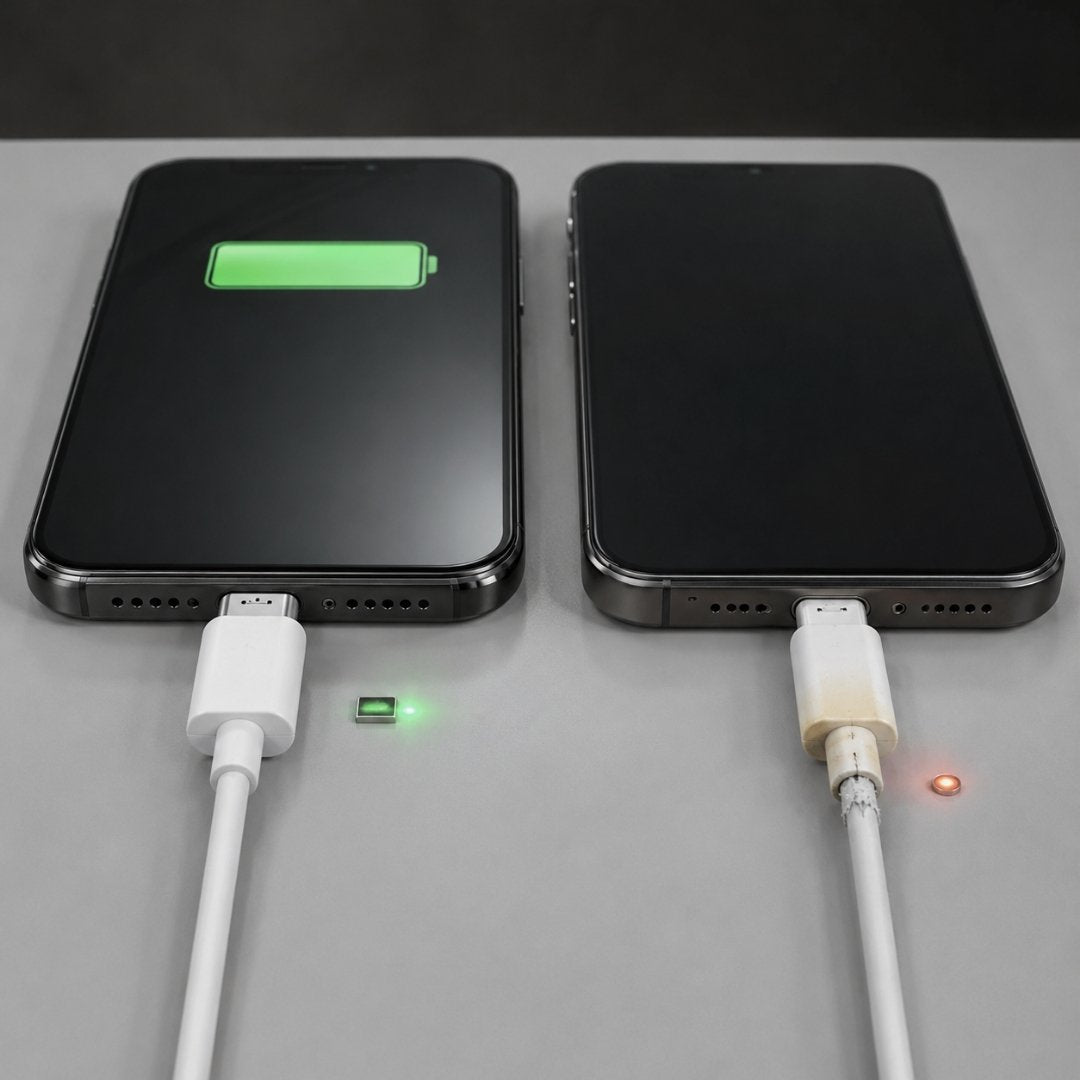
The simplest way to check is to connect the power bank to a compatible charger and observe its indicators.
For a power bank with four LED lights, the lights usually become progressively illuminated as the battery charges. When all four lights remain steady and no light is blinking, charging is generally complete.
If your power bank has a digital display, the process is even easier. A reading of 100 percent normally indicates that the battery has reached its maximum charge level.
Keep in mind that indicator patterns are not identical across every manufacturer. Some models may turn their LEDs off after reaching full capacity, while others may continue displaying all lights for a short period.
What Do Power Bank LED Lights Mean?
LED indicators provide a quick estimate of the battery level and charging progress. A common four-light arrangement works like this:
| Battery Level | LED 1 | LED 2 | LED 3 | LED 4 |
| Around 0 to 25 percent | Blinking | Off | Off | Off |
| Around 25 to 50 percent | Steady | Blinking | Off | Off |
| Around 50 to 75 percent | Steady | Steady | Blinking | Off |
| Around 75 to 100 percent | Steady | Steady | Steady | Blinking |
| Fully charged | Steady | Steady | Steady | Steady |
This is a common arrangement, not a universal rule. Some power banks use fewer lights, different blinking patterns, or a single indicator.
The important point is to identify whether the indicator is showing an active charging state or a completed state.
What Does a Blinking Power Bank Light Mean?
A blinking light usually means that the power bank is still charging. As the battery level increases, the active indicator may move from one light to another.
For example, if the first three lights are steady and the fourth light is blinking, the power bank is usually approaching full capacity.
Once the final indicator becomes steady, charging may be complete.
However, do not assume that every blinking pattern means the same thing. Some manufacturers use blinking lights to indicate charging, low battery, a connection problem, or another operating condition. If the behavior seems unusual, check the instructions supplied with your specific model.
How Does an LCD Display Show a Full Charge?
Power banks with an LCD display make checking the battery level more straightforward.
Instead of interpreting several lights, you can see a numerical percentage such as 25 percent, 50 percent, 75 percent, or 100 percent.
When the display reaches 100 percent and remains there, the power bank has normally completed its charging cycle.
Some models may also display additional information such as input power, output power, charging speed, or charging status. These features can make it easier to understand what the power bank is doing while connected to a charger.
How Long Does Charging a Power Bank Take?
There is no single charging time that applies to every power bank. The total time depends on several factors, including battery capacity, input power, charging protocol, cable quality, and the charger’s compatibility.
A smaller 5,000 mAh power bank will generally charge faster than a 20,000 mAh model when both use similar charging conditions.
A higher capacity power bank can also support faster input charging if the model is designed for it. For instance, a power bank supporting 20 W or 30 W input can recharge considerably faster than a basic model limited to lower input power.
Charging also becomes less straightforward near the end of the cycle because the battery management system can reduce the charging rate as the battery approaches full capacity. Therefore, a simple capacity divided by charger output calculation should only be treated as an estimate.
What Factors Affect Power Bank Charging Time?
Several practical factors can change how long a power bank takes to reach full charge.
Battery Capacity
A higher capacity means there is more energy to replenish. A 20,000 mAh model generally requires more charging time than a 10,000 mAh model under comparable conditions.
Charger Input
The charger’s output matters, but the power bank’s maximum supported input is equally important. Using a high power charger does not automatically make every power bank charge faster.
Cable Quality
A damaged or poor-quality cable can interfere with reliable charging. Use a suitable cable that can handle the charging requirements of your power bank.
Temperature
Lithium-ion batteries perform best within a suitable temperature range. Avoid charging the power bank in extremely hot or cold conditions.
Battery Age
Battery capacity gradually decreases with normal use. An older power bank may take longer to charge or may not hold the same amount of energy it did when new.
What Should You Do After the Power Bank Is Fully Charged?
Once the indicator confirms that charging is complete, you can disconnect the power bank and store it safely.
There is normally no need to keep charging it after it has reached full capacity. Modern power banks include battery management and protection systems designed to control charging, but disconnecting the device when convenient is still a sensible habit.
For long-term storage, avoid leaving the power bank completely empty for an extended period. A partial charge is generally more suitable for storing a lithium ion battery.
Also keep the power bank away from excessive heat, direct sunlight, moisture, and damaged charging accessories.
What If the Power Bank Does Not Show a Full Charge?
If the indicator remains stuck at the same level for an unusually long time, first check the basic charging setup.
Try these steps:
- Make sure the charging cable is properly connected.
- Check whether the charger is compatible with the power bank.
- Try another suitable cable if the existing one appears damaged.
- Charge the power bank at a normal room temperature.
- Check the manual for the model’s specific indicator behaviour.
- If the power bank becomes unusually hot, swollen, or physically damaged, stop using it.
If the battery repeatedly refuses to reach full capacity even with a suitable charger and cable, the battery or charging circuitry may require professional inspection or replacement.
Can You Use a Power Bank While It Is Charging?
Some power banks support pass through charging, which allows the power bank to receive power while simultaneously charging another device.
However, not every model supports this feature, and the charging behavior can vary depending on the design. If your power bank does not specifically support pass through charging, it is better to let it recharge normally before using it to charge another device.
Simple Signs That Your Power Bank Is Ready
Before unplugging your power bank, look for these signs:
- The final LED has stopped blinking, and all applicable indicators are steady.
- The digital display shows 100 percent.
- The charging indicator changes to the completed state described in the manual.
- The device is no longer actively increasing its displayed charge level.
These signs are more reliable than assuming that a particular number of hours is enough.
Conclusion
Knowing when your power bank has finished charging is mostly a matter of understanding its indicator system. For many models, steady LEDs indicate that charging is complete, while a digital display showing 100 percent provides a clearer reading.
Charging time depends on capacity, input power, cable quality, temperature, and battery condition, so it is better to rely on the power bank’s indicator rather than a fixed number of hours.
Most importantly, follow the instructions for your particular model and use compatible charging equipment. Good charging habits can help you get dependable performance from your power bank and make it ready when you need backup power.
Frequently Asked Questions
1. How can I tell when my power bank is fully charged?
Most models are fully charged when their final charging indicator stops blinking, and the applicable LEDs remain steady. Models with a digital display generally show 100 percent.
2. What does a blinking light mean on a power bank?
A blinking LED commonly indicates that charging is still in progress. However, indicator meanings vary between models, so check the manufacturer’s instructions for confirmation.
3. How long does a 10,000 mAh power bank take to charge?
Charging time depends on its supported input power and charger. A 10,000 mAh model can take several hours with a basic charger and considerably less with compatible higher power input.
4. How long does a 20,000 mAh power bank take to charge?
A 20,000 mAh power bank generally takes longer than a 10,000 mAh model. The actual time depends on the power bank’s input rating, charger, cable, temperature, and battery condition.
5. Can I leave my power bank charging overnight?
Modern power banks usually include protection circuits that manage charging, but it is still good practice to disconnect the device after it reaches full charge and follow the manufacturer’s charging instructions.
6. Should I completely drain my power bank before charging it?
No. You do not generally need to completely drain a lithium ion power bank before recharging it. Partial charging is suitable for normal use.
7. Why is my power bank taking longer to charge than before?
A damaged cable, unsuitable charger, high temperature, lower input power, or battery ageing can increase charging time. If the problem continues, inspect the cable and charger and consult the product manufacturer.
8. Can I charge my phone while the power bank itself is charging?
Only if the power bank supports pass-through charging. Check the product specifications or user manual before using this feature.
9. Does a higher watt charger charge every power bank faster?
No. The power bank has a maximum supported input level. A charger with a higher rating cannot force a device to accept more power than its charging system supports.
10. What should I do if my power bank gets very hot while charging?
Disconnect it from the charger and allow it to cool in a safe location. If it repeatedly becomes unusually hot, swells, smells unusual, or shows physical damage, stop using it and seek guidance from the manufacturer.