








Running out of battery is no longer just a smartphone problem. Laptops are now used everywhere, from cafés and airports to classrooms, offices, and outdoor workspaces. A reliable power bank for laptop and mobile devices can keep your essential devices running when a wall outlet is not available.
But not every power bank can charge a laptop effectively. Laptops generally require higher power output than smartphones, so you need to consider more than just battery capacity.
In this guide, we explain how to choose the best power bank for laptop and mobile, including capacity, charging speed, USB Type C Power Delivery, portability, safety, and real-world charging expectations.
Why Use a Power Bank for a Laptop and Mobile?
A standard smartphone power bank may be enough for your phone, but it may not provide sufficient power to charge a laptop. Laptops typically need higher wattage and compatible charging protocols, while smartphones can charge with considerably less power.
A suitable laptop and mobile power bank lets you carry one portable battery for multiple devices instead of carrying separate chargers and power banks.
It can be especially useful for:
- Remote workers who spend long hours away from a power outlet
- Students attending classes throughout the day
- Frequent travellers using laptops at airports or on trains
- Content creators working away from home
- Professionals visiting job sites or working outdoors
What to Look for in a Power Bank for Laptop and Mobile
Choosing a power bank becomes easier when you focus on four important specifications: capacity, power output, charging technology, and ports.
1. Check the Battery Capacity
Power bank capacity is usually measured in mAh (milliamp-hours). However, a higher mAh rating does not automatically mean more usable energy for your laptop.
For laptop charging, a higher-capacity power bank is generally more practical.
- 10,000mAh: Better suited to smartphones and smaller devices
- 20,000mAh: A practical starting point for occasional laptop charging
- 25,000mAh or higher: Better for extended laptop and mobile use
Actual charging performance will vary because some stored energy is lost during voltage conversion and charging.
2. Look for USB Type C Power Delivery
If you want a power bank that can charge both a laptop and smartphone, USB Type C with Power Delivery (PD) is one of the most important features to check.
USB PD allows compatible devices to negotiate an appropriate charging voltage and power level.
For many laptops, consider:
- 45W: Suitable for some lightweight laptops
- 65W: A good option for many everyday laptops
- 100W or more: Better for compatible high-performance laptops
Always check your laptop’s charging requirements before buying a power bank. A higher wattage rating does not guarantee that every laptop will charge at that speed.
3. Consider the Ports
The number and type of ports determine how easily you can charge multiple devices.
A versatile power bank may include:
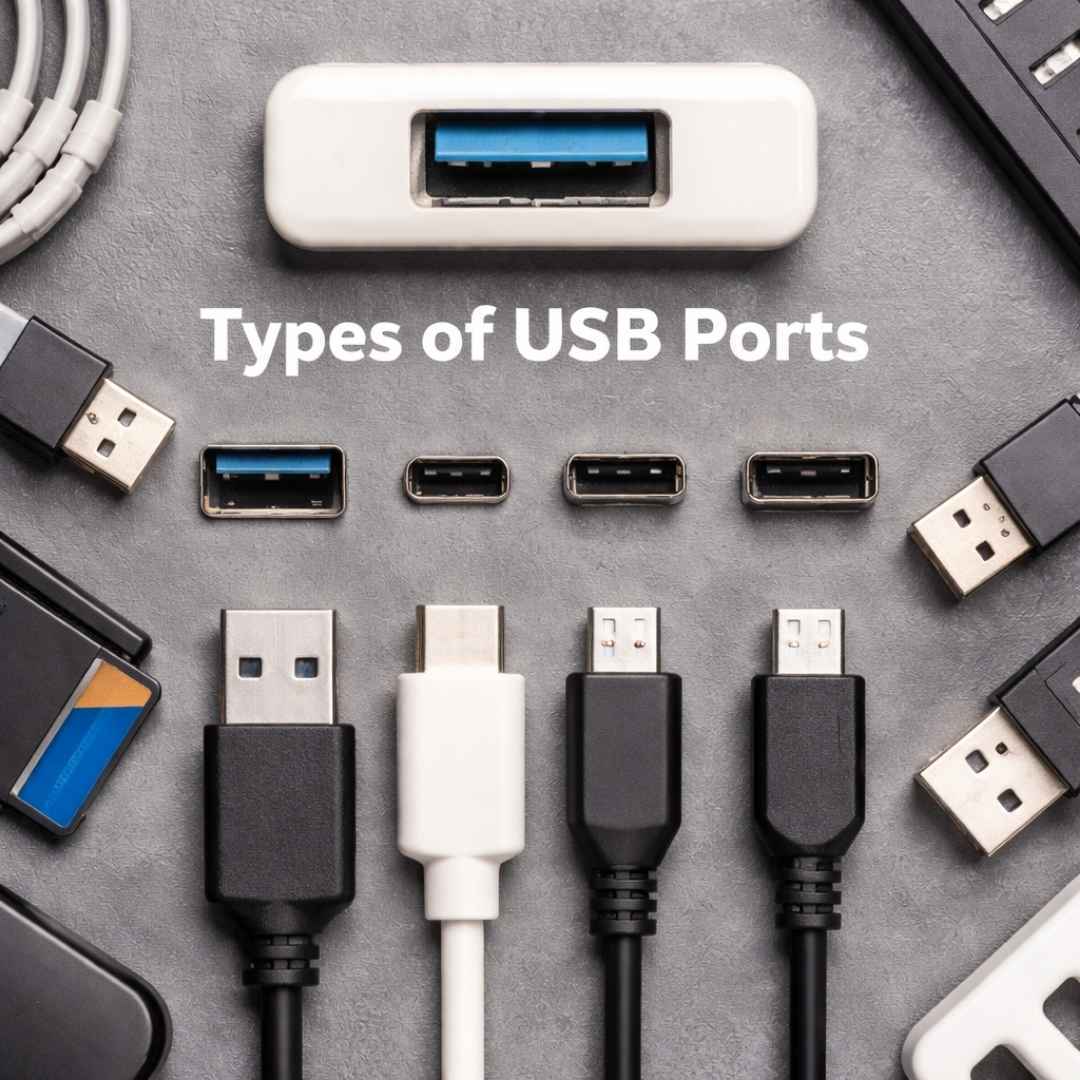
- A high-power USB Type C port for laptop charging
- Additional USB Type C or USB-A ports for smartphones and accessories
- Multiple output ports for charging more than one device
If you regularly carry a laptop, phone, smartwatch, or earbuds, having multiple ports can make a single power bank much more useful.
4. Balance Capacity With Portability
More battery capacity usually means a larger and heavier power bank. The biggest model is not necessarily the best choice if you need to carry it every day.
Think about how you use your devices:
For daily commuting: A compact 20,000mAh model can offer a good balance between capacity and portability.
For travel: A higher-capacity model may be more useful when you expect limited access to power outlets.
For demanding work: Prioritise sufficient wattage and capacity over an ultra-slim design.
Can One Power Bank Charge Both a Laptop and Phone?
Yes. A compatible power bank can charge both a laptop and smartphone, provided its output specifications meet the requirements of each device.
For example, a power bank with USB PD can provide higher power to a compatible laptop while supplying the lower power required by a smartphone.
The important point is to check both the power bank’s output and your device’s input requirements before purchasing.
How Much Laptop Charging Can You Expect?
Do not expect a power bank to provide the same amount of charging as its advertised capacity suggests.
A power bank rated at 20,000mAh does not mean you will receive 20,000mAh directly at your laptop’s battery voltage. Energy is lost during voltage conversion, heat generation, and the charging process.
Your actual laptop charging time and percentage will depend on:
- Power bank capacity
- Power bank output wattage
- Laptop battery capacity
- Laptop power consumption
- Charging efficiency
- Whether you are using the laptop while charging
If your laptop is running demanding applications while connected to the power bank, the battery may charge more slowly or continue to drain depending on the available output.
Safety Features to Consider
A high-capacity lithium-ion battery should include appropriate protection features. When choosing a power bank for laptop and mobile, look for protection against:
- Overcharging
- Overheating
- Overcurrent
- Short circuits
- Excessive voltage
It is also better to choose a power bank from a reputable manufacturer and avoid suspiciously cheap products with unclear specifications.
Safety certifications and compliance markings can also provide additional assurance, especially when purchasing a high-capacity power bank for regular travel.
Are Laptop Power Banks Allowed on Flights?
Power banks are generally treated as spare lithium batteries and are typically required to be carried in carry-on baggage rather than checked baggage. Airline and airport rules can vary, particularly for higher-capacity batteries.
Before flying, check the current requirements of your airline and departure airport. Also check the power bank’s Wh (watt-hour) rating, as airlines may use Wh rather than mAh when determining battery limits.
Which Power Bank Is Best for Laptop and Mobile?
The best power bank depends on your devices and how you use them.
| User | Recommended focus |
| Smartphone user | 10,000–20,000mAh and fast charging |
| Student | 20,000mAh with USB PD |
| Remote worker | 20,000–25,000mAh with 65W+ output |
| Frequent traveler | High capacity, USB PD, multiple ports |
| High-performance laptop user | 100W+ output if supported by the laptop |
Instead of choosing a power bank based only on its mAh rating, match its capacity and wattage to your laptop and smartphone requirements.
How to Choose the Right Power Bank
Before purchasing, use this quick checklist:
- Check your laptop’s required charging wattage
- Choose a power bank with compatible USB PD output
- Consider at least 20,000mAh for regular laptop use
- Check the power bank’s Wh rating if you travel frequently
- Look for multiple ports if you charge several devices
- Compare size and weight with your daily needs
- Choose a reliable brand with proper safety protections
This approach helps you avoid buying a power bank that has a large capacity but cannot deliver enough power to your laptop.
Conclusion
The best power bank for laptop and mobile is one that matches your devices, charging requirements, and daily routine. Capacity matters, but wattage, USB Type-C Power Delivery, compatibility, portability, and safety are equally important.
For many users, a 20,000mAh or higher power bank with USB PD and at least 65W output can provide a practical balance for charging a compatible laptop and smartphone. However, always check your laptop’s charging specifications before making a purchase.
A little attention to the specifications can help you choose a power bank that keeps your laptop, phone, and other essential devices powered when you are away from a wall outlet.