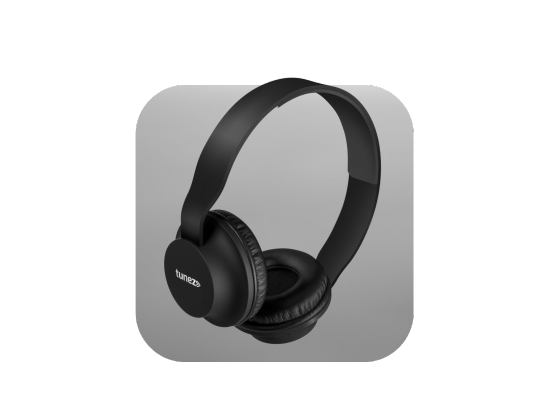






Air travel feels incomplete without music, movies, or podcasts. Many travelers now prefer wireless headphones because they are comfortable and cable-free.
But one common question people ask is: Can you use wireless headphones on a plane?
The short answer is yes. Most airlines allow them, but there are a few rules you must follow. From enabling airplane mode to understanding in-flight entertainment systems, this guide explains everything you need to know before flying.
Airline Rules for Using Wireless Headphones
Most airlines allow passengers to use Bluetooth headphones on a plane, but only under certain conditions. These rules exist to ensure aircraft communication systems remain safe.
Airplane Mode Comes First
Before connecting your headphones, your device must be in airplane mode.
Airplane mode disables cellular signals and Wi-Fi that could interfere with aircraft systems. After turning it on, you can usually manually enable Bluetooth again.
This is the standard way to use wireless headphones during flights.
Takeoff and Landing Restrictions
Airline policies may vary during critical flight phases.
- Some airlines allow Bluetooth devices throughout the flight
- Others ask passengers to disable them during takeoff and landing
- Cabin crew instructions always take priority
Keep the volume low so you can hear safety announcements.
How Wireless Headphones Work on a Plane
Wireless headphones use Bluetooth technology, which sends short-range, low-power radio signals.
These signals connect only between your device and the headphones. They do not connect to external networks, which is why airlines allow them after cellular signals are turned off.
This makes Bluetooth headphones safe for airplane use when used correctly.
Using Wireless Headphones with In-Flight Entertainment
This is where many travelers get confused.
Most airplane seat screens still use wired headphone jacks instead of Bluetooth. That means your wireless headphones cannot connect directly.
What Is a Bluetooth Transmitter?
A Bluetooth transmitter is a small adapter that plugs into the airplane’s headphone jack.
It converts the wired audio signal into Bluetooth so your headphones can receive sound wirelessly.
Without a transmitter, wireless headphones work best with your phone, tablet, or laptop during the flight.
Benefits of Using Wireless Headphones on a Plane
Many travelers prefer wireless audio devices for long flights because they provide comfort and flexibility.
1. More Comfort and Freedom
No cables running across your seat or getting tangled during meals. Wireless headphones make long flights easier, especially in cramped seating areas.
2. Noise Reduction
Many models include active noise cancellation, which helps reduce engine noise and cabin chatter. This makes flights quieter and less tiring.
3. Better Travel Experience
Whether you are watching movies, listening to music, or enjoying podcasts, Bluetooth headphones for travel improve comfort and focus.
Common Challenges When Using Wireless Headphones
Wireless devices are convenient, but they still have a few limitations.
Battery Life
Long flights can drain the battery quickly. Always fully charge your headphones before traveling and carry a charging cable or power bank.
Bluetooth Pairing Issues
Airplane cabins can have many wireless devices. Occasionally, this may cause temporary Bluetooth pairing problems.
Keeping your phone close to the headphones usually solves the issue.
Safety Announcements
Noise cancellation should not block important instructions. Always keep the volume moderate and remove your headphones when the crew requests it.
Practical Tips for Flying with Wireless Headphones
A little preparation ensures a smooth travel experience.
- Turn on airplane mode before takeoff
- Enable Bluetooth after airplane mode is active
- Download movies or music in advance
- Carry wired headphones as backup
- Keep volume low for announcements
These simple steps make using wireless headphones on a plane a stress-free experience.
Are Wireless Headphones Worth It for Flights?
For most travelers, the answer is yes.
Wireless headphones provide better comfort, portability, and sound quality compared to airline-provided earphones. While wired headphones can still be useful as backups, Bluetooth headphones are now a popular travel companion.
As airline technology improves, more aircraft are expected to support wireless audio connectivity.
Conclusion
So, can you use wireless headphones on a plane? Absolutely.
As long as airplane mode is enabled and airline instructions are followed, wireless headphones are safe and widely allowed during flights.
With proper preparation, they can turn a noisy cabin into a comfortable personal entertainment space. Charge your headphones, download your content, and enjoy a smoother travel experience.