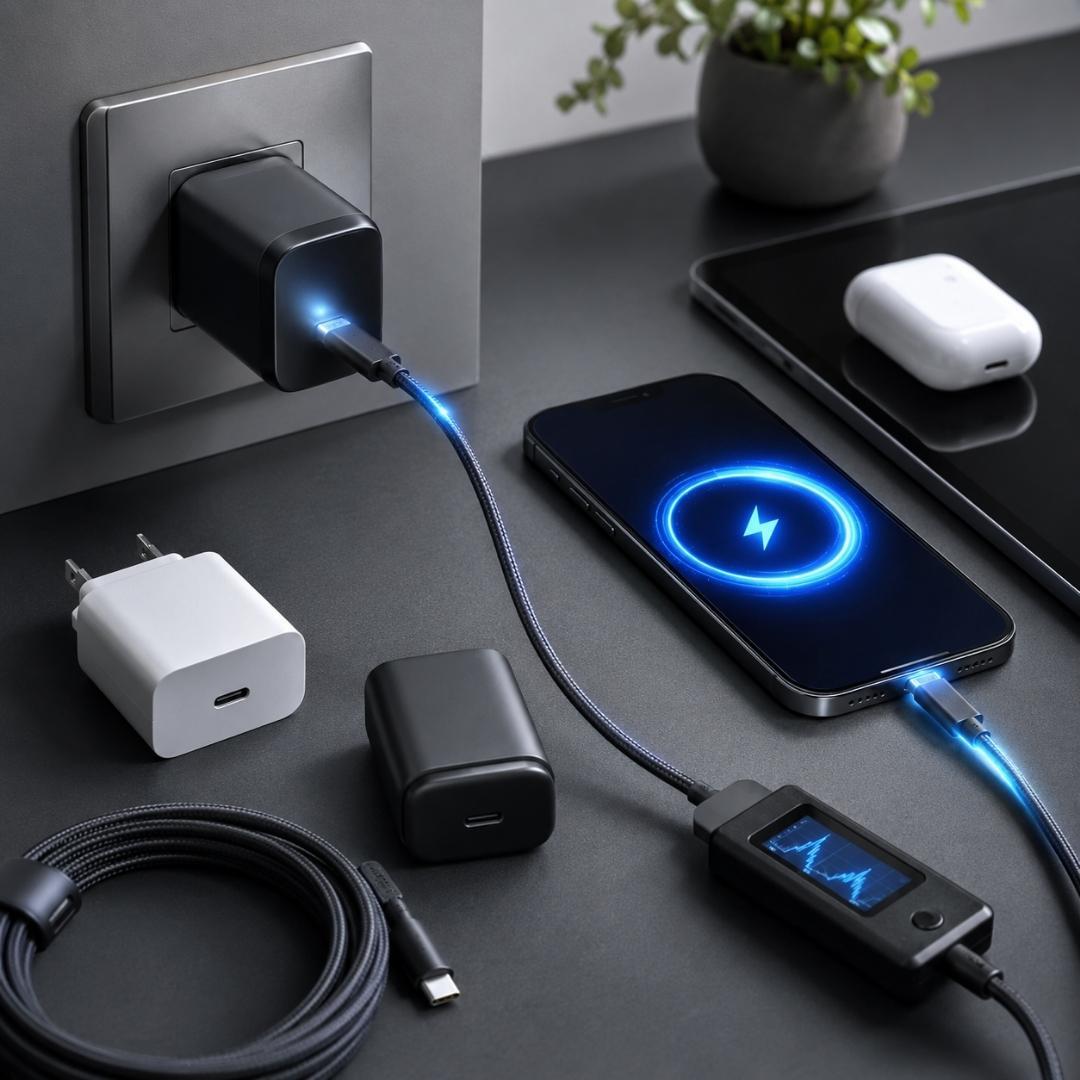










Charging our phones has become such a normal part of daily life that most people never think twice about leaving the charger plugged into the wall. Whether it is beside the bed, near the sofa, or under the office desk, mobile chargers often stay connected to power all day and night.
But have you ever stopped and asked yourself one simple question: Did you unplug the charger today?
Many people believe an unused charger does nothing when it stays plugged in. In reality, even without a phone connected, chargers continue drawing small amounts of electricity and keeping internal components active.
While modern chargers are generally designed with safety protections, poor charging habits can still lead to overheating, reduced charger lifespan, unnecessary electricity usage, and in rare cases, electrical hazards.
In this guide, you will learn why unplugging the charger matters, what risks come from leaving it connected continuously, and the safest charging habits to follow for your devices and home.
What Happens When a Charger Stays Plugged In?
Even when your phone is not connected, the charger still receives electricity from the socket.
This small amount of unused energy consumption is often called phantom power or vampire power.
Although the power usage is low, the charger remains active internally as long as electricity flows through it.
This means:
- Internal electronic components continue working
- Small amounts of heat may still be generated
- The charger slowly experiences wear over time
- Electricity is continuously consumed
Most people ignore this because the charger appears inactive from the outside.
However, the internal circuits are still connected to live electricity.
Why You Should Unplug the Charger?
Unplugging the charger may seem like a small habit, but it can make a noticeable difference over time.
Reduces Overheating Risks
Chargers naturally generate heat while converting electrical power.
If a charger remains plugged in continuously, especially in hot or poorly ventilated environments, the internal temperature may rise over time.
This becomes more concerning when:
- The charger is low quality
- The cable is damaged
- The wall socket is loose
- Dust accumulates around the plug
- The charger is covered by pillows, blankets, or cushions
Heat buildup can shorten the charger’s lifespan and increase safety risks.
Helps Extend Charger Lifespan
Every charger contains small electronic components that age gradually with continuous electrical exposure.
Keeping the charger plugged in 24 hours a day may slowly reduce its long-term durability.
Unplugging after use helps reduce:
- Internal heat stress
- Component aging
- Risk of short circuits
- Wear caused by nonstop electrical flow
A charger that is treated properly often lasts much longer.
Prevents Unnecessary Power Consumption
Many people think unplugged devices are the only way to save electricity.
In reality, plugged in chargers still consume small amounts of power even without charging a phone.
One charger may not seem significant, but modern homes often contain:
- Phone chargers
- Laptop chargers
- Smartwatch chargers
- Tablet chargers
- Earbud chargers
- Camera chargers
Together, these small energy draws can add up over time.
Improves Home Safety
Electrical safety starts with simple habits.
Unplugging unused chargers reduces the chance of:
- Overheating
- Electrical sparks
- Power fluctuations
- Fire hazards from faulty accessories
This is especially important during thunderstorms or unstable power conditions.
Common Charging Mistakes People Make
Many charging habits people follow daily can slowly damage chargers, batteries, or devices without realizing it.
Using Phones While Charging
Using a phone heavily while charging increases heat generation.
Activities like gaming, video editing, or video streaming during charging can make both the phone and charger much hotter than normal.
Excessive heat affects:
- Battery health
- Charging efficiency
- Charger durability
Occasional use is fine, but continuous heavy usage while charging is not ideal.
Charging Near Soft Surfaces
One of the most overlooked mistakes is charging devices on beds, pillows, blankets, or sofas.
Soft materials trap heat and block ventilation.
For example:
A charger placed under a pillow overnight cannot release heat properly.
This increases overheating risks significantly.
Always place chargers on hard and open surfaces while charging.
Waiting Until Battery Reaches Zero
Modern lithium batteries do not need to be fully drained before charging.
In fact, allowing the battery to repeatedly drop to zero may reduce battery health faster over time.
Most experts recommend charging between:
- 20 percent and 80 percent battery level
This helps maintain healthier battery performance in the long run.
Charging Multiple Devices With One Adapter
Many people use multi port charging hubs to charge several devices together.
While convenient, charging too many devices simultaneously increases:
- Heat generation
- Power load
- Stress on the adapter
High-quality mobile chargers are designed for this, but overloaded or low-quality adapters may become unsafe over time.
Real World Example
Imagine leaving your charger plugged into the wall beside your bed every day for years.
Dust slowly collects around the socket. The room becomes humid during monsoon season. The cable bends repeatedly near the connector.
One day, the charger starts heating unusually fast.
Most charger failures do not happen suddenly. They often develop gradually through poor charging habits and long-term wear.
Simple actions like unplugging after use can help reduce these risks.
Is Leaving a Charger Plugged In Always Dangerous?
Not necessarily.
Modern chargers include multiple built-in safety protections such as:
- Temperature control
- Overcurrent protection
- Short circuit protection
- Automatic power regulation
However, safety also depends on:
- Charger quality
- Cable condition
- Ventilation
- Electrical stability
- Usage habits
Even safe devices benefit from responsible use.
Smart Charging Habits Everyone Should Follow
Here are some simple charging habits that improve both safety and device lifespan.
Unplug the Charger When Not in Use
This reduces unnecessary electrical exposure and power consumption.
Keep Chargers in Ventilated Spaces
Avoid enclosed or heat-trapping environments.
Replace Damaged Cables Immediately
Frayed or broken cables should never continue being used.
Avoid Overnight Charging on Beds
Use hard surfaces like tables or desks for charging.
Use Trusted Charging Accessories
Low-quality chargers often lack proper safety protections.
Keep Charging Ports Clean
Dust and debris can affect charging performance and safety.
Conclusion
So, did you unplug the charger today?
While leaving a charger plugged in may seem harmless, small habits can make a big difference over time. Mobile chargers continue drawing power even without devices connected, and constant electrical exposure can slowly affect safety, efficiency, and durability.
The good news is that preventing these problems is simple.
By unplugging unused chargers, avoiding overheating situations, and following smarter charging habits, you can improve safety, extend charger lifespan, and reduce unnecessary electricity usage at home.
Safe charging is not about fear. It is about building better everyday habits for the devices we depend on daily.
FAQs About Unplugging the Charger
Q. Is it bad to leave a charger plugged in all the time?
Leaving a charger plugged in continuously can slowly reduce its lifespan and consume small amounts of electricity.
Q. Does a plugged-in charger use electricity without a phone connected?
Yes. Chargers still draw small amounts of power even when no device is attached.
Q. Can chargers overheat when left plugged in?
Yes. Chargers may generate heat while connected to electricity, especially in hot or poorly ventilated areas.
Q. Is phantom power dangerous?
Phantom power itself is usually small, but continuous electrical exposure can contribute to heat and energy waste over time.
Q. Can a charger catch fire?
Faulty, damaged, or low-quality chargers may become dangerous if they overheat or short-circuit.
Q. Does unplugging the charger save electricity?
Yes. It prevents unnecessary standby power consumption.
Q. Is it safe to use the phone while charging?
Light usage is usually fine, but heavy gaming or video streaming during charging can increase heat significantly.
Q. Why does my charger feel warm?
Some warmth during charging is normal, but excessive heat may indicate poor ventilation or charger issues.
Q. Should chargers be kept away from beds and pillows?
Yes. Soft surfaces trap heat and increase overheating risks.
Q. Can charging habits affect battery life?
Yes. Constant overheating and fully draining batteries regularly may reduce long term battery health.
Q. Is charging from 20 to 80 percent better?
Many experts recommend maintaining battery levels within this range for healthier long-term performance.
Q. Are cheap chargers risky?
Low-quality chargers may lack important safety protections and can become unsafe over time.
Q. How often should charging cables be replaced?
Replace cables immediately if you notice fraying, bending damage, or loose connections.
Q. What is the safest way to charge devices?
Use quality chargers, keep devices ventilated, avoid overheating, and unplug accessories when not in use.