










Charging a smartphone is something most of us do every day, often without thinking twice about it. However, the way you charge your phone can affect battery ageing, charging performance and safety over time. From exposing the phone to excessive heat to using damaged cables, a few simple habits are worth changing.
Modern smartphones already have built in charging controls, so you do not need to worry about every percentage point. The bigger concern is repeated heat, physical damage, poor quality accessories and charging conditions that put unnecessary stress on the battery.
Here are the most common mistakes to avoid while charging a mobile phone and what you can do instead.
1. Frequently Letting the Battery Reach 0%
Lithium-ion batteries do not need to be completely drained before you charge them. Frequently letting your phone battery fall to extremely low levels may speed up the natural wear of the battery.
You do not need to wait until your phone reaches 1% or switches off. Connecting it when the battery is around 20% to 30% is a practical habit for everyday use.
That does not mean reaching 0% once in a while will immediately damage your phone. Modern smartphones are designed to handle occasional deep discharge. The real problem arises when this becomes something you do regularly.
2. Keeping the Phone at 100% All the Time
A phone reaching 100% is not automatically harmful. Smartphones are designed to stop normal charging once the battery reaches full capacity and use charging management to control power delivery.
Battery wear can become more noticeable when the phone stays highly charged while also being exposed to elevated temperatures.
If your phone supports an 80% charging limit, adaptive charging or optimized charging, these features can be useful when you regularly keep your phone connected for long periods.
For everyday use, there is no need to become obsessed with keeping the battery between exactly 20% and 80%. Charge according to your needs and use battery protection features when available.
3. Charging the Phone on a Bed or Under a Pillow
This is one of the habits worth avoiding for safety reasons.
Phones can generate heat while charging, particularly during fast charging or when the device is being used at the same time. A bed, pillow or thick blanket can restrict airflow and trap that heat around the device.
Instead, charge your phone on a hard, flat and uncovered surface where heat can dissipate properly.
Avoid covering the phone with clothing, blankets or other materials while it is charging.
4. Using Damaged or Poor Quality Cables
A charging cable may look like a small accessory, but its condition matters.
Frayed insulation, exposed wires, bent connectors and loose connections can cause unreliable charging and may create a safety risk. Extremely cheap or counterfeit accessories can also lack the quality and protection expected from properly manufactured charging equipment.
Replace cables that show visible damage rather than continuing to use them because they still work.
When buying a replacement, choose a reputable manufacturer and make sure the cable is appropriate for your phone and charging setup.
5. Using the Phone Heavily While It Charges
Checking a message while your phone is plugged in is not a problem. The concern is prolonged, demanding use while charging.
Gaming, video recording, navigation and other processor intensive activities can generate significant heat. Charging itself also produces some heat, so using the phone heavily at the same time can increase the overall temperature.
If your phone becomes noticeably hot, reduce demanding activity and allow it to cool.
For faster and more efficient charging, leaving the phone relatively idle is often the better approach.
6. Charging in Direct Sunlight or Hot Places
Temperature is one of the biggest factors to consider when charging a smartphone.
Avoid charging your phone inside a hot car, in direct sunlight or next to another heat producing device. High temperatures can accelerate battery ageing and may cause the phone to slow or temporarily stop charging as a protective measure.
A cool, dry and ventilated location is generally a better charging environment.
If the phone becomes unusually hot during charging, disconnect it and allow it to return to a normal temperature before continuing.
7. Ignoring a Hot Charger or Phone
Some warmth during charging is normal, especially with fast charging. Excessive or unusual heat is different.
Pay attention if the phone, charging adapter or connector becomes unusually hot, particularly if the temperature keeps increasing.
Other warning signs include a damaged cable, unusual smell, swelling or repeated charging interruptions.
Do not continue using damaged charging equipment simply because it still charges the phone. Replace it and, if the phone itself shows signs of battery damage or swelling, have it inspected by a qualified service professional.
8. Buying Chargers From Unverified Sources
A charger may look identical to a branded product while having very different internal components.
Poorly made or counterfeit chargers can create problems with power regulation, heat management and electrical protection. This is why the cheapest option is not always the safest option.
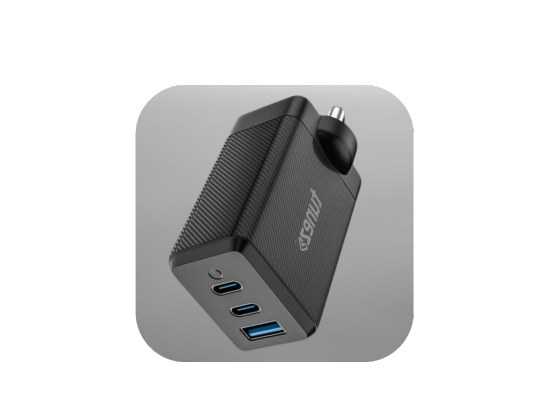
Buy charging adapters from reputable brands and trusted sellers. Check that the charger’s power output is compatible with your phone and that it supports the charging standards required by your device.
A higher wattage charger is not automatically dangerous either. Compatible smartphones generally regulate how much power they draw.
9. Keeping a Thick Case on During Excessive Heat
Most phone cases can remain on while charging without causing a problem. However, some thick cases can make it harder for heat to escape when the device is already running hot.
If your phone regularly becomes very warm while charging, especially during fast charging, remove the case temporarily and place the device somewhere cool and ventilated.
There is no need to remove the case every time you charge unless heat is actually becoming an issue.
10. Treating Overnight Charging as Automatically Dangerous
Overnight charging is often misunderstood.
Modern smartphones have charging management systems that prevent them from continuously receiving maximum charging power after reaching full capacity. Some devices also offer optimized or adaptive charging to reduce the amount of time spent at a high charge level.
Therefore, leaving a modern phone plugged in overnight does not automatically mean the battery will be damaged.
The more important factors are the condition of the charger and cable, ventilation and temperature. Avoid placing a charging phone under a pillow or blanket, and use reliable charging accessories.
How to Charge Your Phone More Safely
A few simple habits can make everyday charging easier:
- Charge when convenient instead of deliberately draining the battery to 0%.
- Use battery protection or adaptive charging features when your phone provides them.
- Place your phone on a firm, open surface during charging so that heat can escape more easily.
- Keep charging equipment away from water, excessive heat and direct sunlight.
- Replace damaged cables and adapters.
- Avoid intensive gaming or other demanding activities if the phone becomes hot.
- Use compatible chargers from reputable manufacturers and sellers.
- Pay attention to unusual heat, swelling, smell or charging behaviour.
The goal is not to follow a perfect charging percentage every day. Consistent temperature control, good accessories and sensible charging habits matter more in normal use.
Conclusion
Understanding the common mistakes to avoid while charging a mobile phone can help you take better care of your device without making charging unnecessarily complicated.
You do not have to stop charging overnight, avoid 100% charging completely or panic whenever the battery falls below 20%. Modern smartphones already include several systems designed to manage charging safely.
Instead, focus on the habits that genuinely matter. Keep your phone cool, avoid damaged accessories, use reliable chargers, provide proper ventilation and pay attention to unusual heat or physical damage. These simple steps can support better battery health and safer everyday charging.

