




Most people assume every USB cable works the same way. If it charges your phone, it should transfer files too, right? Surprisingly, that is not always true.
Many users only realize the difference when their phone refuses to connect to a laptop, Android Auto stops working, or file transfers become painfully slow. The problem is usually with the cable, not your device.
Understanding the difference between a USB charging cable and a USB data cable can save you time, improve charging performance, and help you avoid buying the wrong accessory.
In this guide, you will learn how charging cables and data cables work, their key differences, where each is used, and how to identify the right cable for your needs.
What Is a USB Charging Cable?
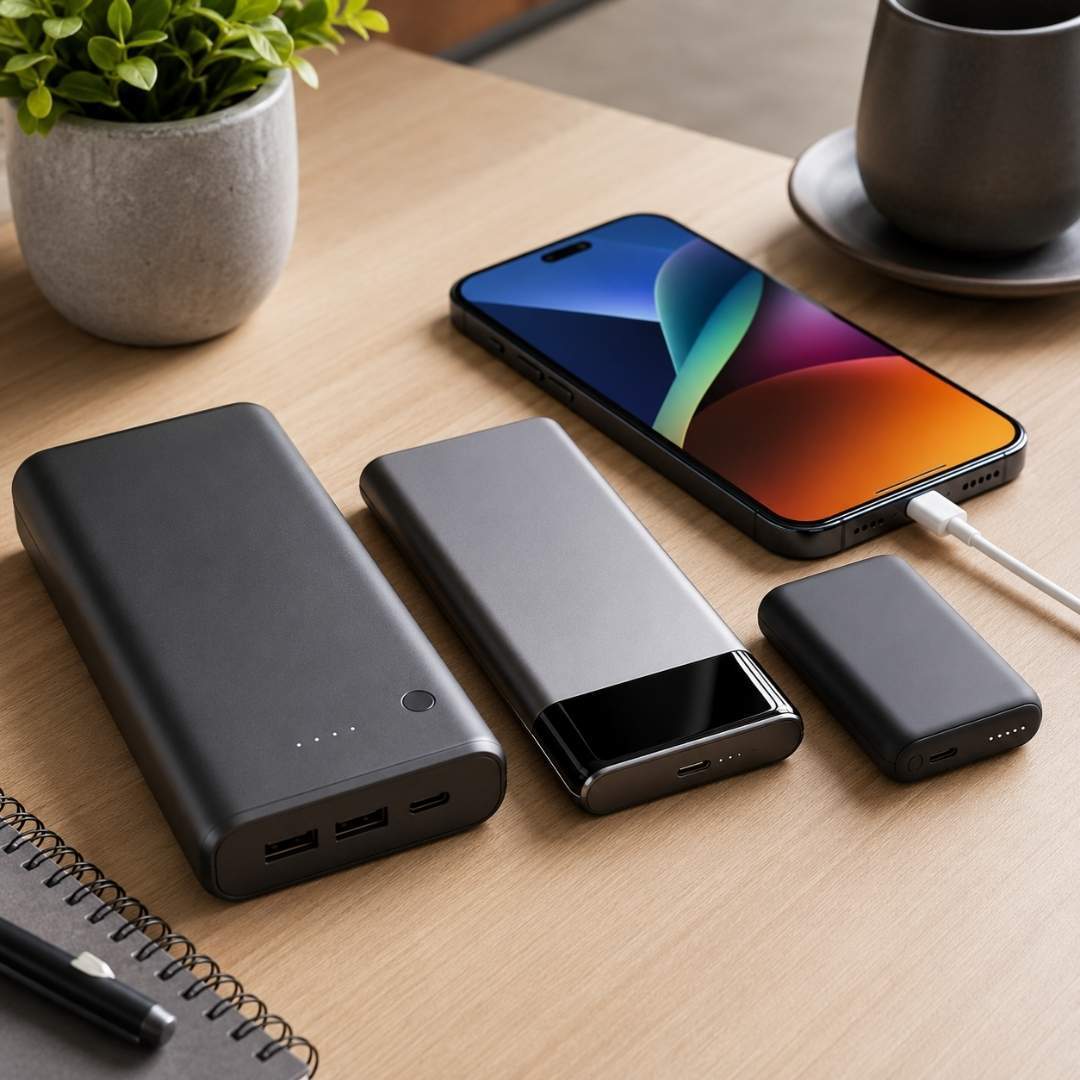
A USB charging cable is designed mainly to deliver electrical power from a charger, power bank, laptop, or adapter to your device.
These cables focus on charging performance rather than communication between devices. Some charging cables only contain internal wires required for power delivery and do not support file transfer at all.
This means your phone may charge perfectly, but it will not appear when connected to a computer.
Common Uses of USB Charging Cables
- Charging smartphones
- Powering wireless earbuds
- Charging smartwatches
- Using power banks
- Charging Bluetooth speakers
- Fast charging compatible devices
Charging cables are commonly used where data transfer is unnecessary.
What Is a USB Data Cable?
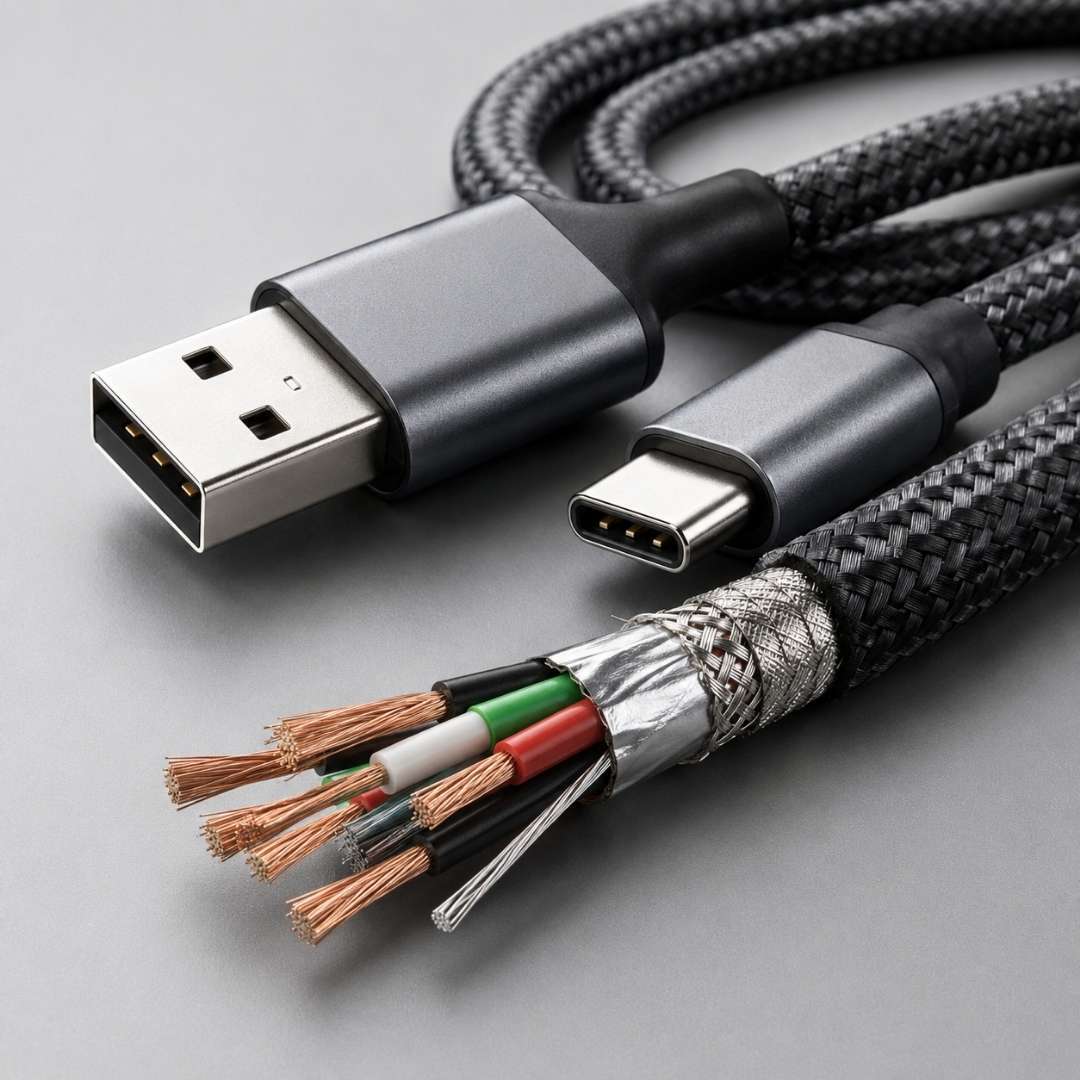
A USB data cable supports both charging and data communication. These cables contain additional internal wires that allow devices to exchange information while also delivering power.
A data cable can:
- Transfer photos and videos
- Sync files between devices
- Connect phones to computers
- Support Android Auto or Apple CarPlay
- Enable USB tethering
- Connect external storage devices
If you regularly move files between devices, a USB data cable is essential.
Difference Between USB Charging Cable and Data Cable
Although both cables may look identical from the outside, their internal construction and functionality are different.
1. Internal Wiring
This is the biggest difference.
A charging cable usually contains only power wires.
A data cable contains additional wires for transmitting data signals.
Because of this, charging only cables cannot communicate with laptops, computers, or other connected devices.
2. File Transfer Support
A charging cable cannot transfer files.
A USB data cable allows you to:
- Move photos
- Transfer videos
- Sync music
- Backup documents
- Update device software
If your device charges but does not connect to your computer, you are likely using a charging-only cable.
3. Charging Speed
Many modern cables support fast charging, but cable quality matters.
Some charging cables are optimized for higher power delivery. However, many high quality USB data cables now support both fast charging and high speed data transfer together.
The actual charging speed also depends on:
- Charger wattage
- Device compatibility
- Cable quality
- USB standard
USB Standards Explained Simply
Many users get confused by terms like USB 2.0, USB 3.0, USB 3.1, and USB4.
Here is what they actually mean.
USB 2.0
- Can transfer data at speeds up to 480 Mbps
- Common in older cables
- Good for basic charging and file transfers
USB 3.0 and USB 3.1
- Faster transfer speeds up to 5 Gbps or more
- Better for large file transfers
- Common in modern USB data cables
USB4
- Extremely high-speed data transfer
- Supports advanced charging capabilities
- Used in premium devices and accessories
A cable may physically look like USB C but still only support slow charging and limited data speeds. The connector shape does not guarantee performance.
USB-C Does Not Always Mean Data Cable
This is one of the biggest misconceptions today.
Many people think every USB-C cable supports fast charging and high-speed data transfer. That is false.
Some USB C cables are made only for charging devices. Others support charging plus data transfer, video output, and high speed communication.
Always check the specifications before buying.
Real World Example
Imagine this situation.
You connect your phone to a laptop to transfer vacation photos. Your phone starts charging, but no files appear on the computer.
Most users blame the phone or laptop first.
In reality, the problem is often a charge only cable.
Now consider another example.
You use a cheap cable for Android Auto in your car. The phone charges, but the infotainment system disconnects repeatedly. Switching to a proper USB data cable usually fixes the issue instantly.
These situations are extremely common today.
How to Identify a USB Data Cable
Sometimes manufacturers do not clearly label cables, which creates confusion.
Here are simple ways to identify a data cable.
Check the Packaging
Look for terms like:
- Sync and Charge
- Data Transfer
- USB 3.0
- USB 3.1
- High Speed Data
If the packaging only mentions charging, it may not support data transfer.
Test It With a Computer
This is the easiest method.
Simply plug the cable into your computer and connect your phone.
If the device is recognized and file transfer options appear, it is a USB data cable.
If it only charges, it is likely a charging-only cable.
Look at Cable Thickness
Many data cables are slightly thicker because they contain extra internal wiring and shielding.
However, this is not always guaranteed.
Why Cheap Cables Often Cause Problems
Low-quality cables can create several issues, including:
- Slow charging
- Connection drops
- File transfer failures
- Overheating
- Device compatibility issues
In some cases, poor-quality cables may even damage charging ports over time.
Choosing a reliable cable improves both performance and device safety.
Which Cable Should You Buy?
The right cable depends on your usage.
Choose a Charging Cable If
- You only need charging
- You use wall adapters or power banks
- You charge accessories like earbuds or smartwatches
Choose a USB Data Cable If
- You transfer files regularly
- You connect devices to laptops
- You use Android Auto or Apple CarPlay
- You need both charging and syncing
For most modern users, a quality USB data cable is usually the better long-term choice because it handles both tasks.
Tips Before Buying a USB Cable
Before purchasing a cable, always check:
- Charging wattage support
- Data transfer speed
- USB standard compatibility
- Connector type
- Build quality
- Device compatibility
Avoid buying cables based only on appearance because two identical looking cables may perform very differently.
Conclusion
The difference between a USB charging cable and a USB data cable is more important than most people realize.
A charging cable focuses mainly on delivering power, while a data cable supports both charging and communication between devices.
Although they may look the same externally, their internal design, performance, and functionality are completely different.
If your device charges but refuses to transfer files, the cable is often the hidden reason.
Understanding these differences helps you choose the right cable, improve charging efficiency, avoid connection problems, and get the best experience from your devices.
FAQs About USB Charging and Data Cable
Q. What is the difference between a charging cable and a data cable?
A charging cable mainly delivers electrical power, while a data cable supports both charging and file transfer between devices.
Q. Can a charging cable transfer files?
No. A charge-only cable lacks the internal data wires needed for communication.
Q. How can I tell if my USB cable supports data transfer?
Connect it to a computer. If your device is recognized for file transfer, it supports data transfer.
Q. Do all USB-C cables support data transfer?
No. Some USB-C cables only support charging.
Q. Why does my phone charge but not connect to my laptop?
You are likely using a charging-only cable instead of a USB data cable.
Q. Is a data cable slower for charging?
Not necessarily. Many modern data cables support fast charging along with high-speed data transfer.
Q. What is a USB charge-only cable?
It is a cable designed only for power delivery without data communication support.
Q. Are data cables more expensive?
Usually yes, because they contain additional internal components and shielding.
Q. Can I use a data cable only for charging?
Yes. A data cable can still charge devices normally.
Q. Which cable is better for Android Auto?
A USB data cable is required for stable Android Auto functionality.
Q. Does cable quality affect charging speed?
Yes. Low-quality cables may reduce charging speed and performance.
Q. What is the best cable for file transfer?
A USB 3.0 or USB 3.1 data cable is ideal for fast file transfers.
Q. Can a bad cable damage my device?
Poor-quality cables can cause overheating, unstable charging, and connection issues over time.
Q. Why are some USB cables thicker?
Data cables often contain extra wiring and shielding, making them slightly thicker.
Q. Are all fast charging cables data cables?
No. Some fast charging cables only deliver power without data transfer support.